UI/UX Design, Vibe-Coding, Excel, Business Thinking
2023
01
Problem
A 50-person company I was working with had a bit of a monthly nightmare on their hands. Every payday, the Accountant and the CEO were spending over five full days manually calculating data, tracking down variables (like bonuses and PTO), and hand-typing everything into 50 individual payslip templates. It was exhausting and inefficient. Even though it fell completely outside my usual design scope, I love diving into the operations side of a business just as much as the creative side. So, I raised my hand and volunteered to build them a better way.
02
Objective
To create a fully automated, stress-free payroll system that would shrink their 5-day workflow down to just one day. Since the accountant was already a power user in Excel, I wanted to build the solution in an environment they were totally comfortable with, but give it a massive visual and functional upgrade.
03
Tools
04
Process
01
The Research Phase
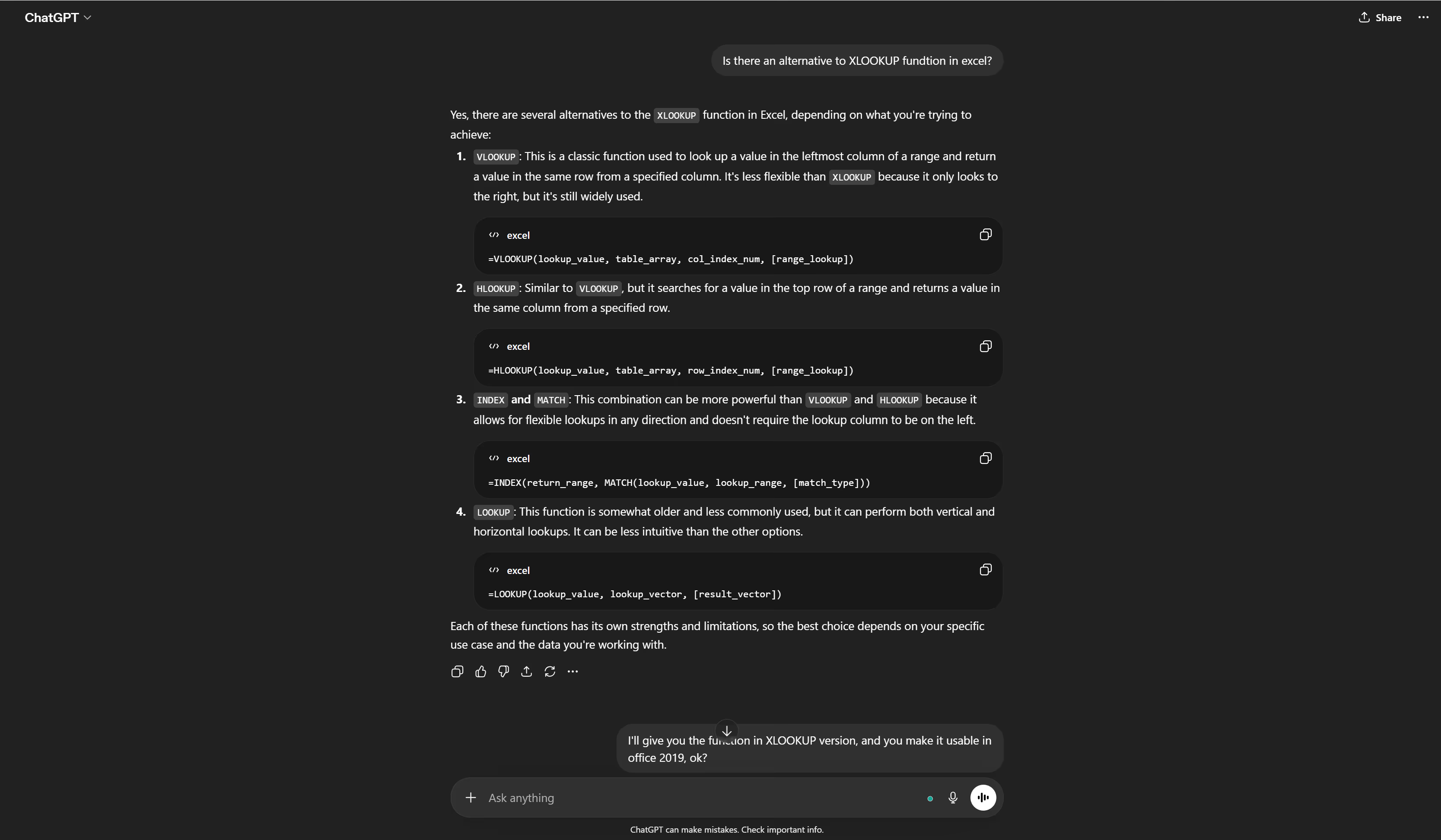
I actually started with zero knowledge of automation or ERP systems. I spent 3 to 5 days using ChatGPT as a tutor to learn the fundamentals of Excel Developer tools, macros, advanced functions, and how to bridge Excel with Word.
02
Designing the Output
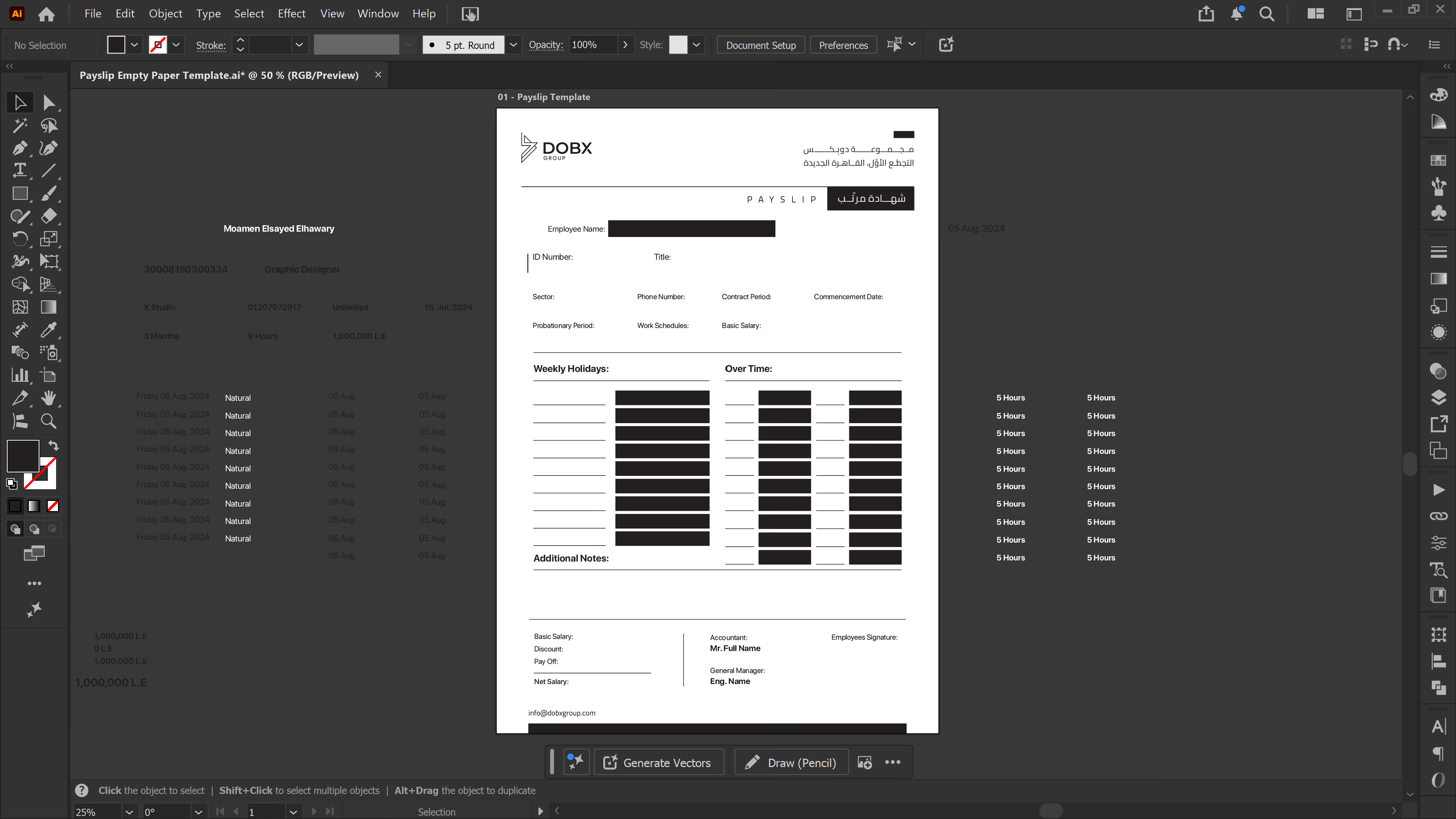
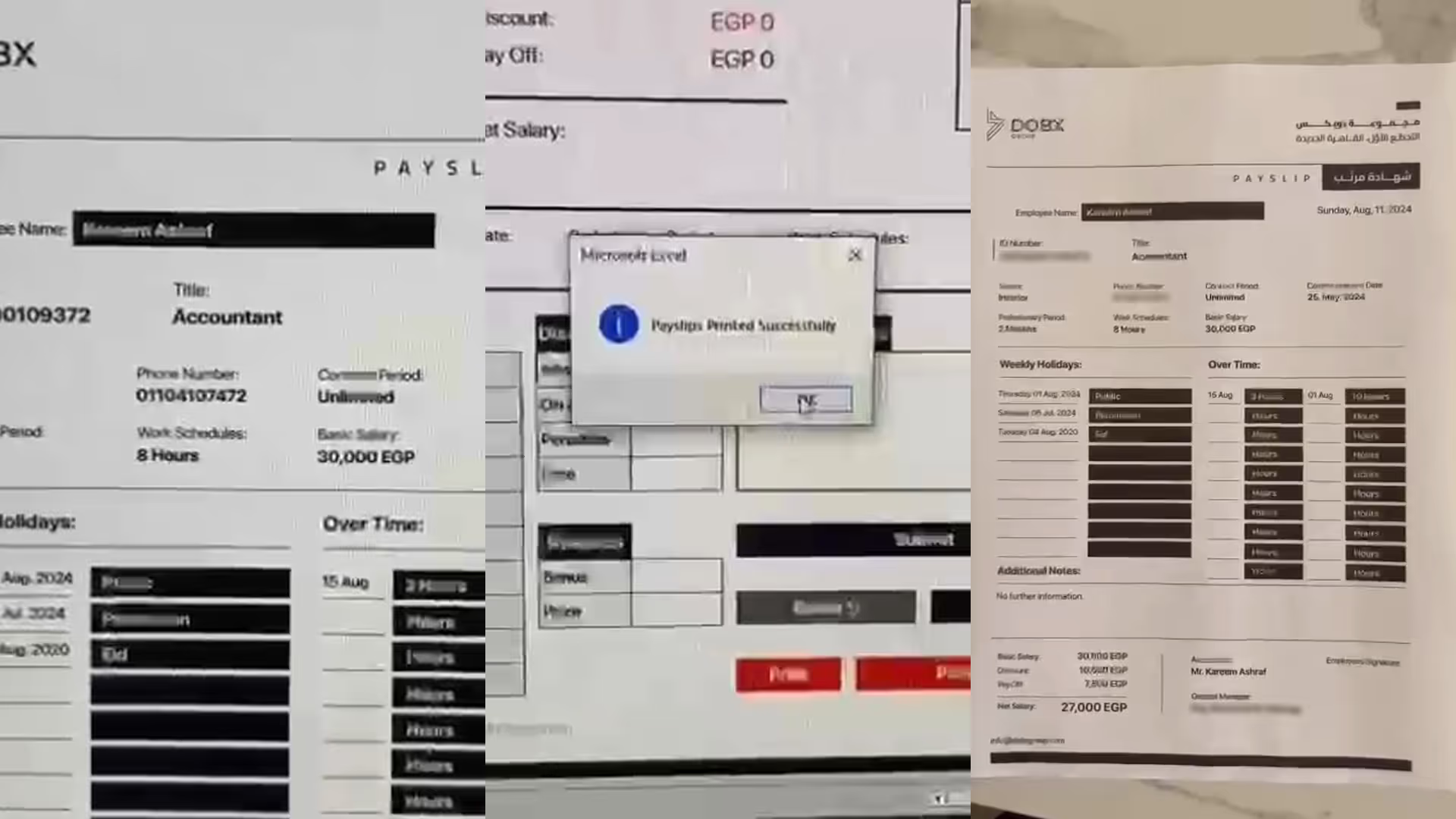
I began where I’m most comfortable: Illustrator. I sketched and designed the ideal A4 payslip template, figuring out exactly where all the monthly employee data should live visually.
03
Prepping the Variables
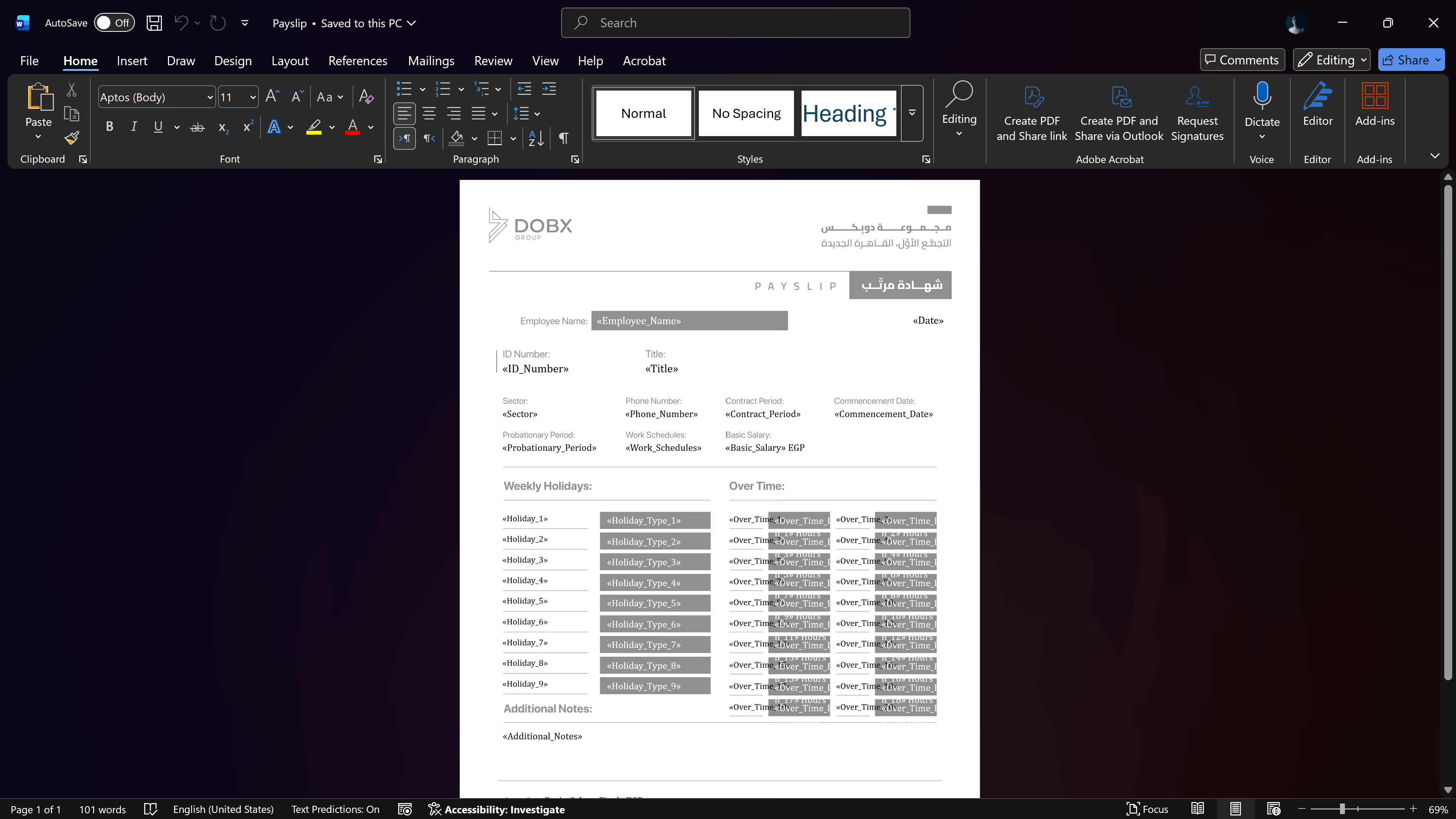
I took that polished Illustrator design and translated it into a Word template, carefully leaving named placeholders (variables) that would eventually pull data directly from Excel.
04
Designing the Dashboard
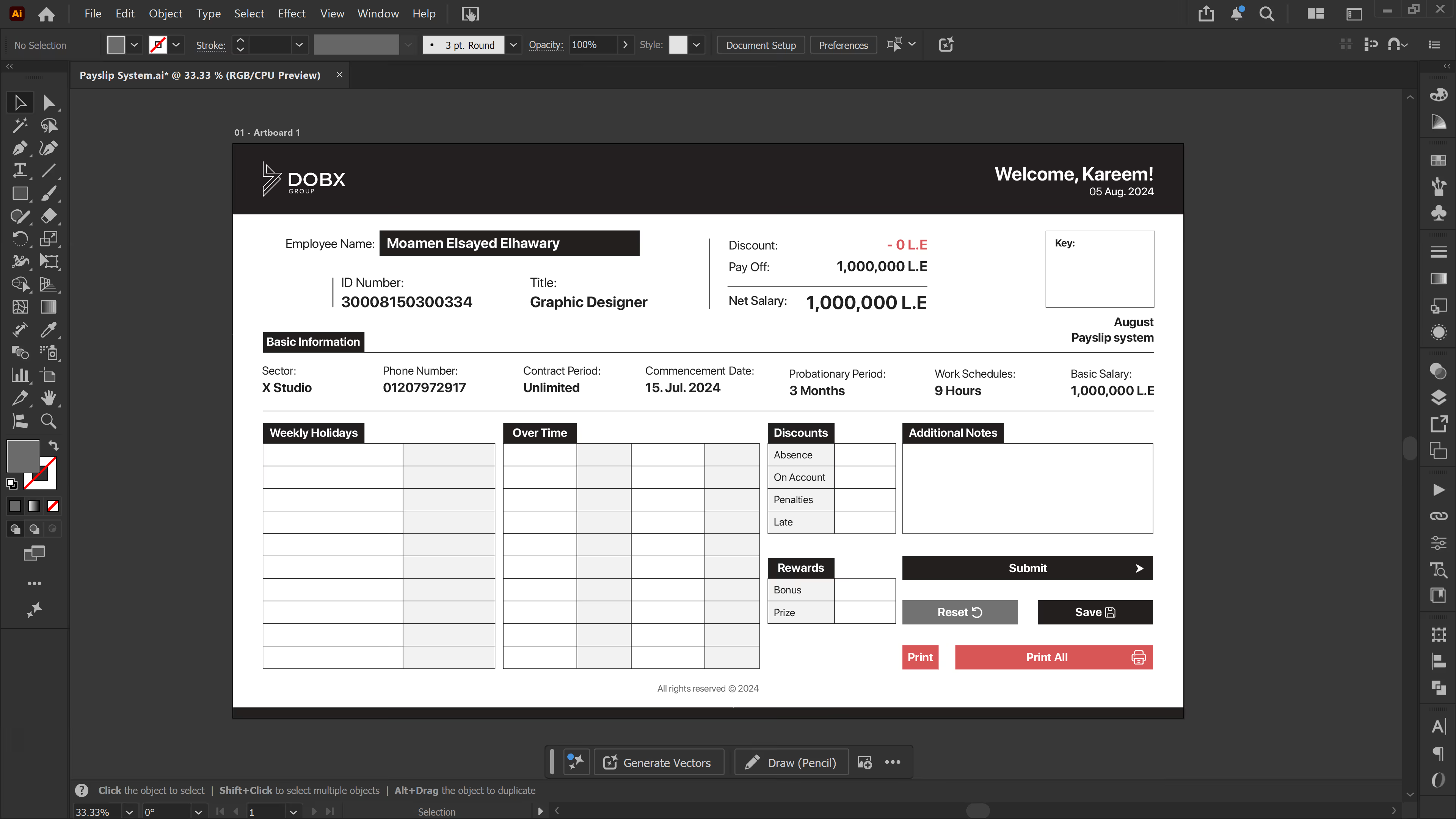
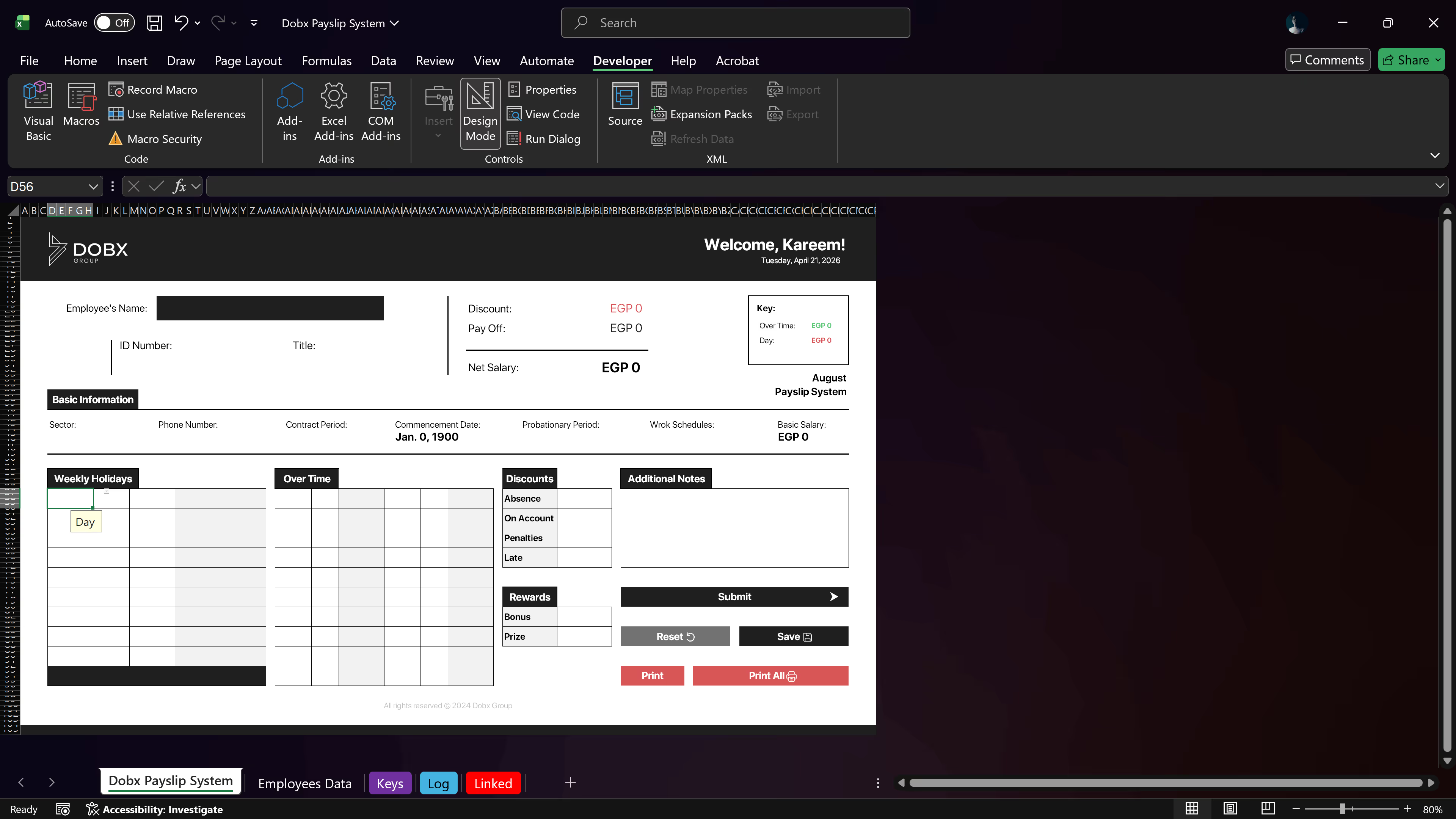
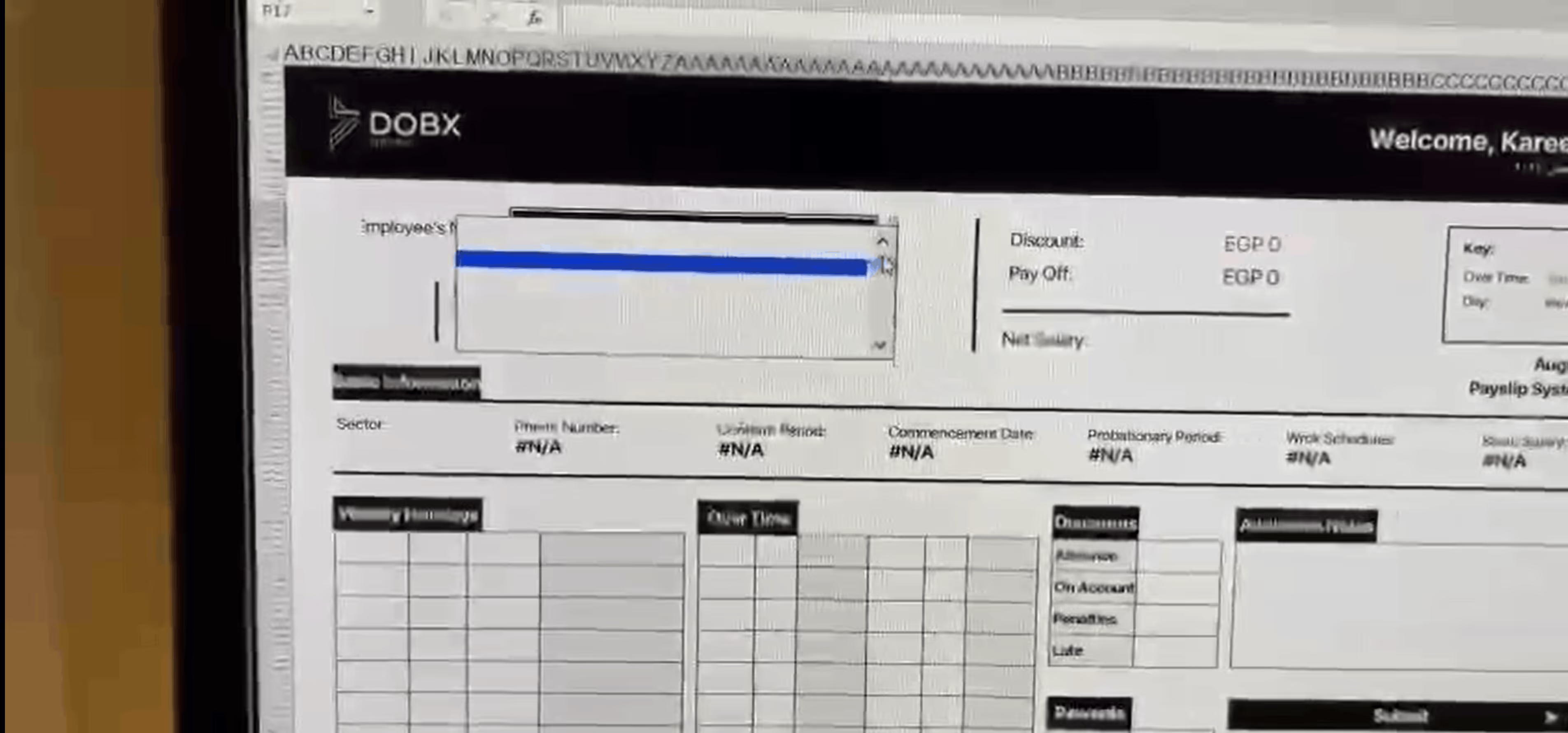
Back in Illustrator, I designed the main User Interface, the central hub where the accountant would actually interact with the program and input data.
05
The Excel Build
This was the toughest part. I had to recreate that sleek Illustrator UI inside of Excel, which felt a bit like magic. It took intense focus to nail the spacing, build the dropdowns, set up the lookup functions, and create the necessary backend sheets like the “Log” and “Employees Data.”
06
AI-Assisted Coding
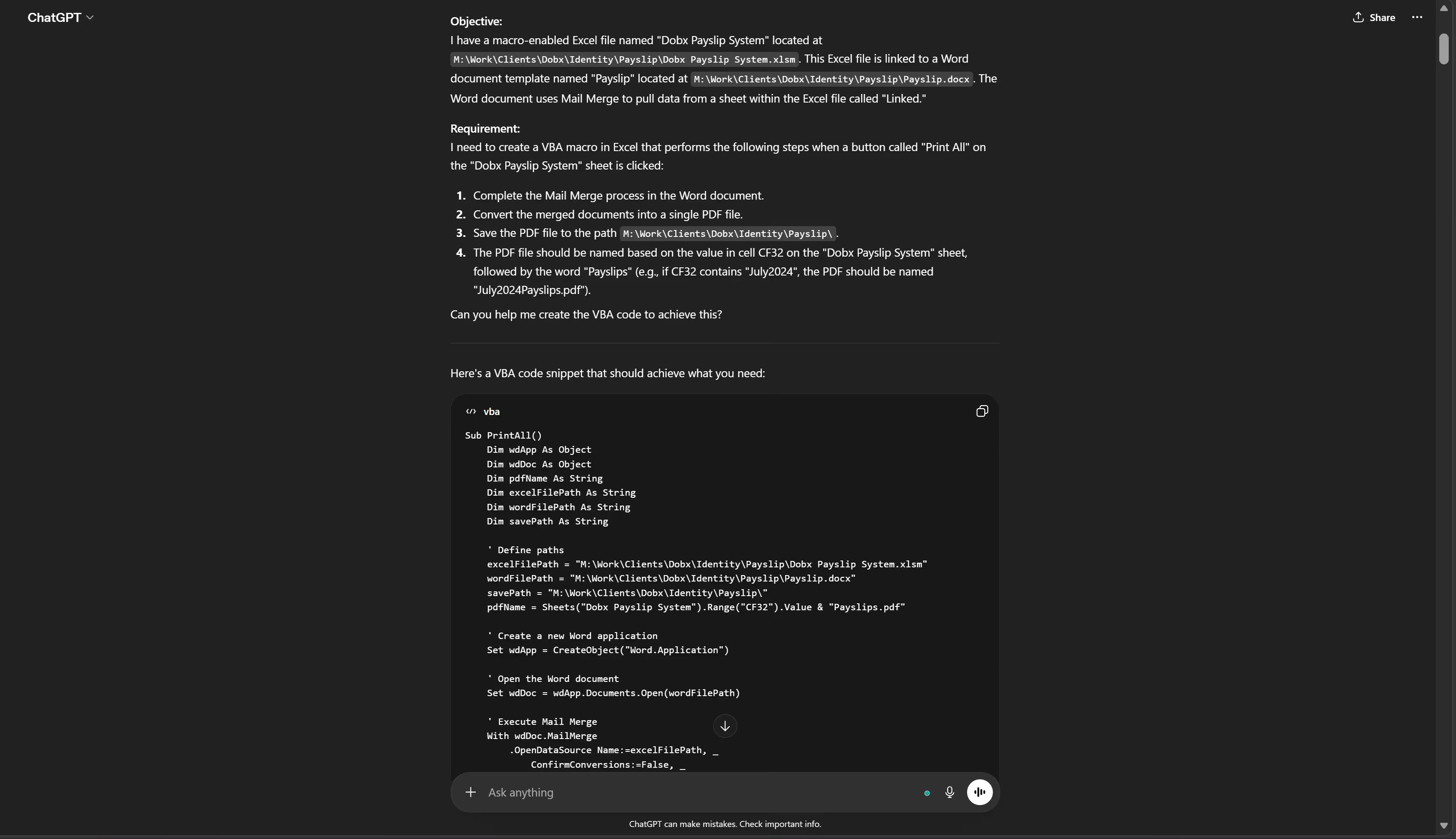
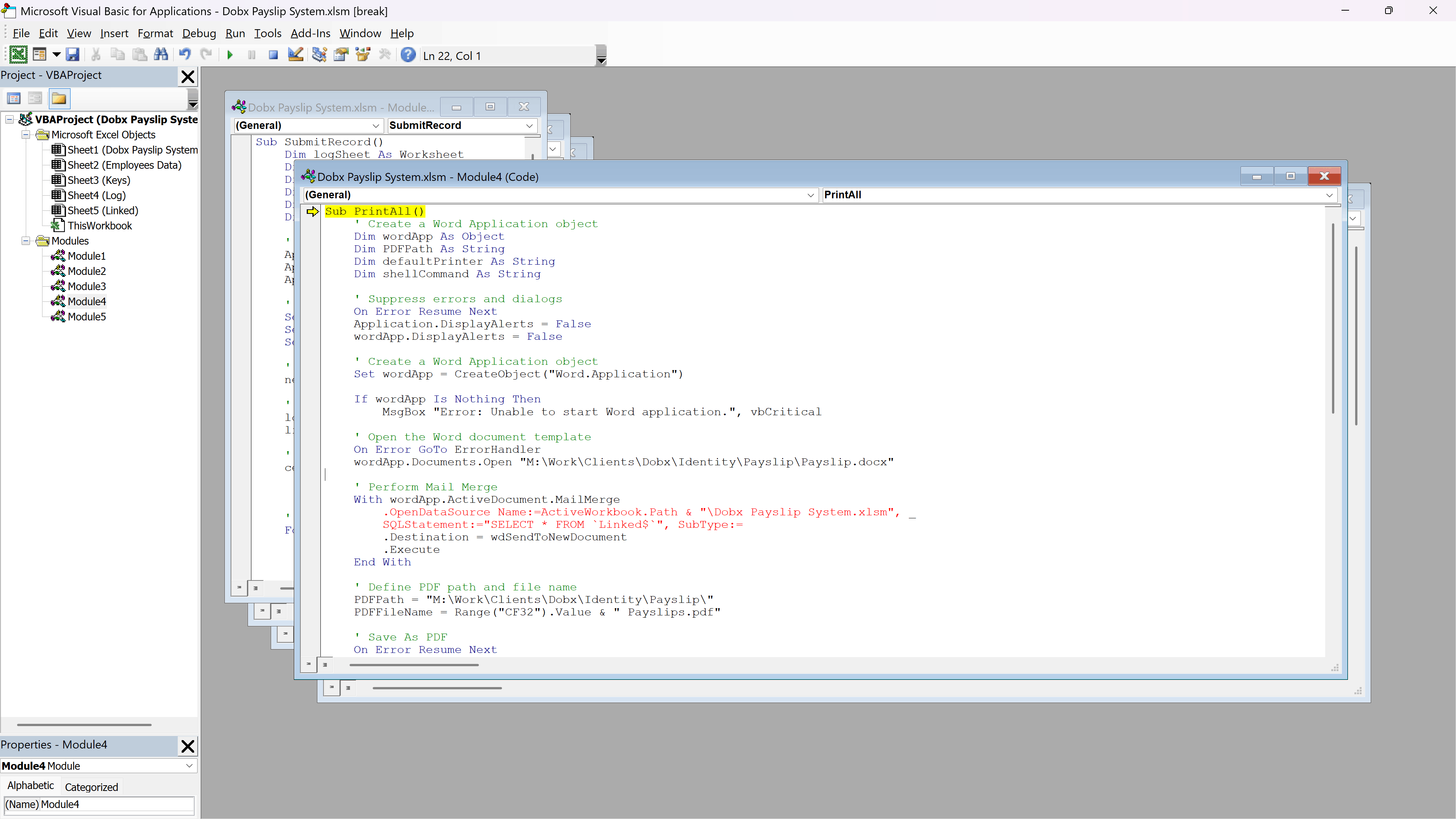
The really fun part was bringing the UI to life. Having no Visual Basic experience, I acted as a simple LLM user, prompting ChatGPT to help me write different macros for every single button in my dashboard.
07
The Debugging Sprint
Of course, it wasn't a perfectly straight path. The initial codes I got from ChatGPT didn't work immediately. I spent about 3 days running tests and using online tools to debug the code until everything functioned smoothly.
08
The Plot Twist
It was time for the final test on the Accountant’s actual device. I had built the system in Excel 365, but they were running a much older legacy version. Almost everything broke. The advanced lookups failed, the formatting got messy, and only the most basic sum functions survived.
09
The On-Site Fix
I didn't let that stop the project. I sat down in the accountant’s office with the CEO and debugged the system on the spot, manually rewriting the advanced functions to be compatible with their older software until the whole program ran perfectly.
The Result
06
KPIs
85%
Time Reclaimed
Cut a 5-day manual payroll process down to just a few minutes per month.
+50
Days Reclaimed
Gave the CEO and accountant back over almost two months of combined working hours every year.
+90%
Accuracy
Eliminated most of the human error that naturally comes from manually hand-typing complex financial variables across several softwares.
07
Conclusion
Seeing the system work for the first time was an incredible feeling. The very next month, what used to take the CEO and Accountant five grueling days of manual data entry took them just a couple of minutes. Not only did we eliminate the stress and human error, but every employee also walked away with a beautifully branded, perfectly organized payslip.